
Table of Content
- Introduction
- Friction Points Destroying Mobile Engagement
- The Ultimate Mobile Layout Checklist
- The Core Friction: Feature Inflation vs. Cognitive Load Minimization
- Stripping the Bloat: Interface Component Pruning in Action
- Spatial Engineering: Negative Space Optimization as a Functional Tool
- Balancing Raw Data: Information Density Management for Complex Apps
- FlowmazeUX: Stop Paying Agencies to Confuse Your Users.
Introduction
Product teams treat user retention as a marketing problem. They buy more ads, blast desperate push notifications, or offer discounts. But the numbers prove that retention is fundamentally an interaction design problem.
Businesses seeking to reduce user friction and improve long-term retention often collaborate with the best UI/UX design agency for mobile app development. This is because expert designers understand how to design intuitive mobile experiences that enhance user satisfaction and drive business growth.
If your mobile app feels cluttered, unresponsive, or physically frustrating to navigate during the first session, users won’t look for a help menu. They will just delete it.
Friction Points Destroying Mobile Engagement
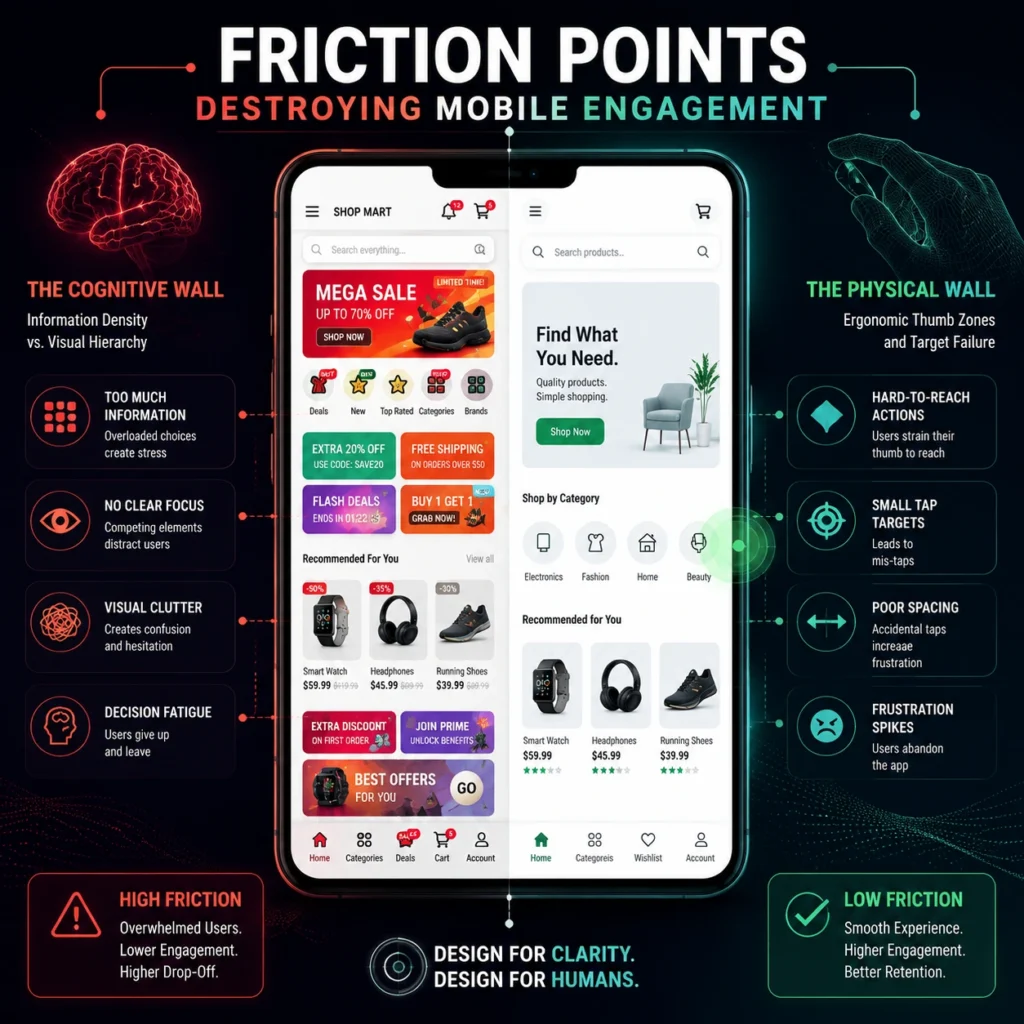
To reverse this trend, your interface needs to optimize for two distinct types of user strain: cognitive friction (overloading the brain) and physical friction (frustrating the thumbs).
1. The Cognitive Wall: Information Density vs. Visual Hierarchy
When an app drops a user onto a home screen packed with 15 competing call-to-actions, multiple banners, and a dense navigation grid, it triggers choice paralysis.
- The Fix: Progressive Disclosure. Only show the user what they need to complete the current task. Keep secondary settings, advanced analytics, and deep-level configurations buried in clear sub-menus until they are contextually relevant.
2. The Physical Wall: Ergonomic Thumb Zones and Target Failure
Phones are getting larger, but human hands aren’t. Forcing a user to stretch their thumb to the top corners of a 6.7-inch screen for a high-frequency action (like a “Save” or “Continue” button) is terrible UX. Furthermore, minuscule, tightly packed links lead to “fat-finger” errors, causing immediate user frustration.
- The Fix: The 44-Point Target Rule. Every primary interactive element needs a physical tap target that matches modern mobile accessibility standards. The greatest UI/UX design agency for mobile app creation often implement these mobile usability principles because improving accessibility, navigation efficiency and touch accuracy directly impacts user retention and overall success of the product.
The Ultimate Mobile Layout Checklist
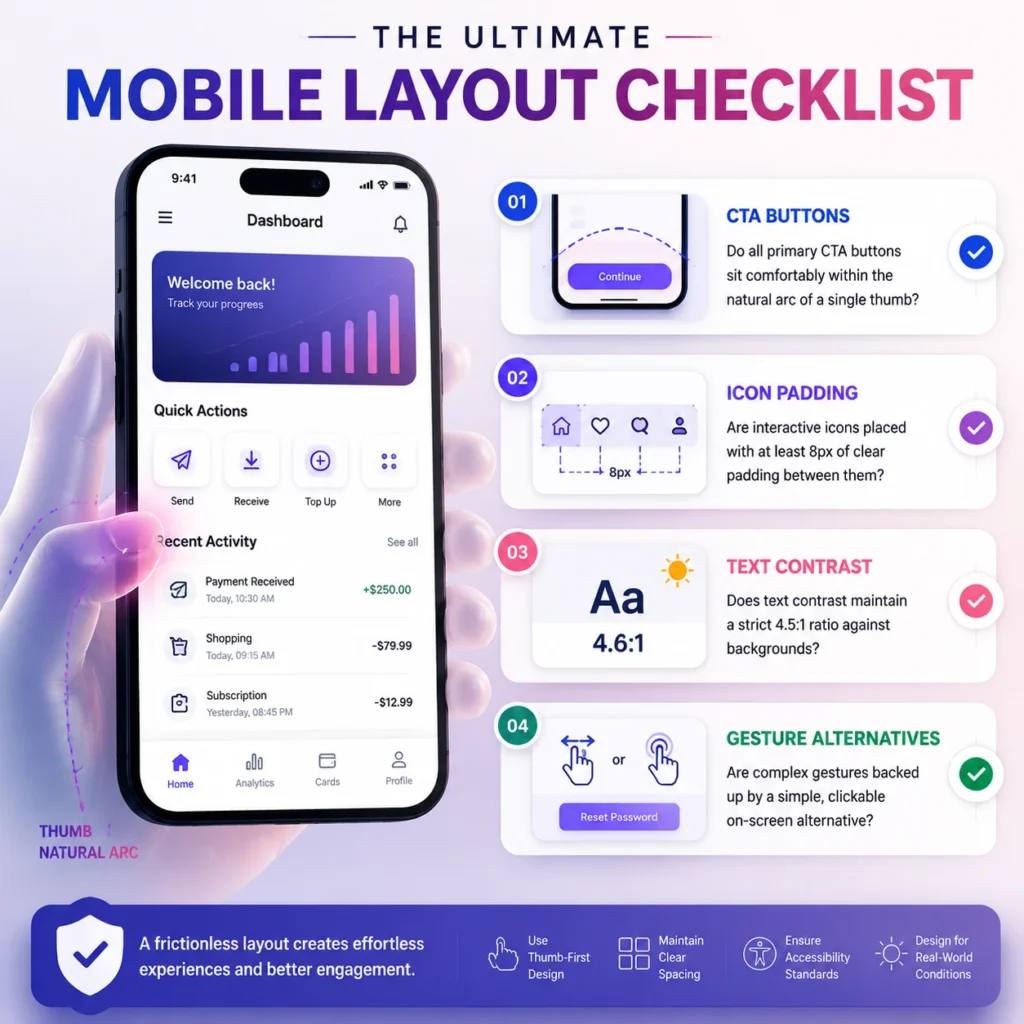
Use this quick diagnostic checklist during your next interface audit to immediately flag critical friction before it hits production:
- Do all primary CTA buttons sit comfortably within the natural arc of a single thumb?
- Are interactive icons placed with at least 8px of clear padding between them to eliminate adjacent accidental taps?
- Does text contrast maintain a strict 4.5:1 ratio against backgrounds to account for outdoor glare and visual strain?
- Are complex gestures (like multi-finger swipes or long-presses) backed up by a simple, clickable on-screen alternative?
The Core Friction: Feature Inflation vs. Cognitive Load Minimization
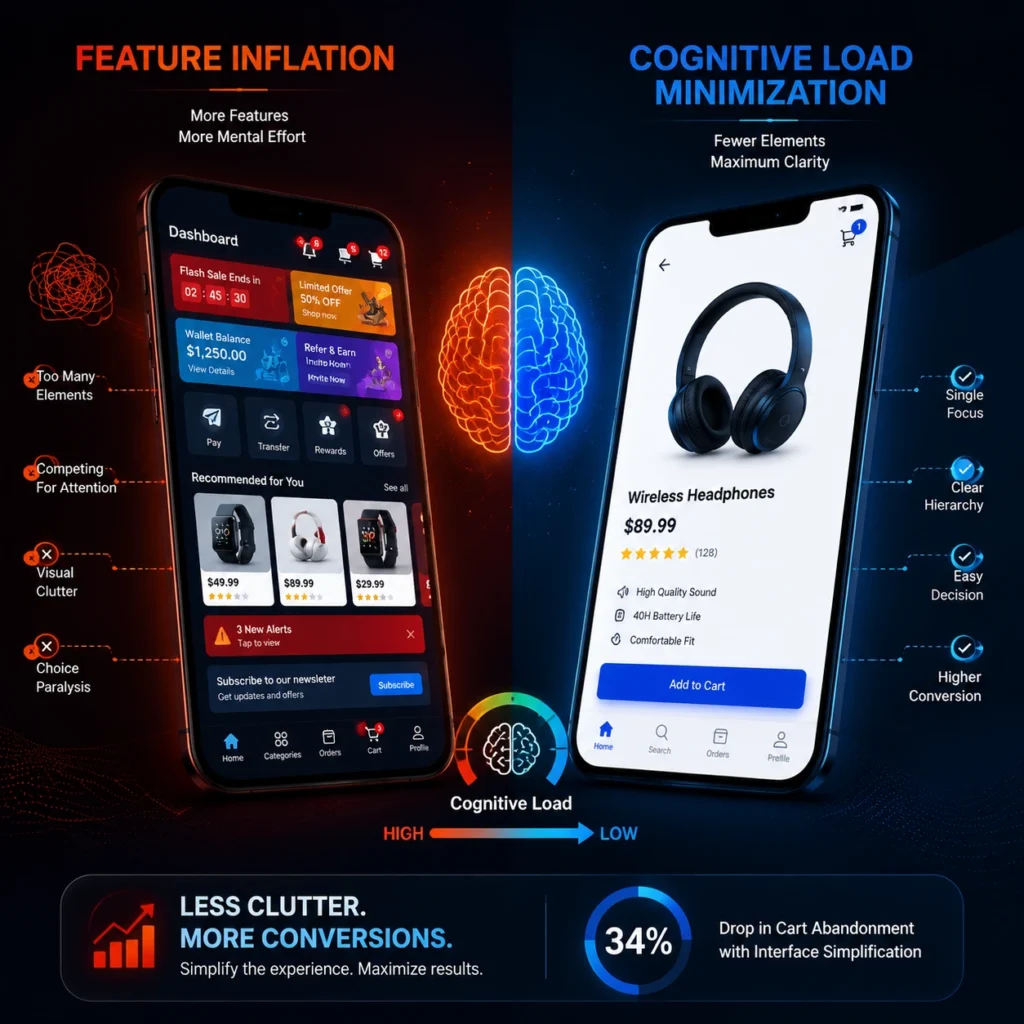
Every element you drop onto a mobile screen demands mental processing power from the user. Forcing a consumer to process multiple competing layouts simultaneously shatters your conversion funnel.
Cognitive Overload: The Silent Killer of Mobile Conversion
Prioritizing cognitive load minimization means protecting the limited attention span of your customer. If a user opens your dashboard and must process five flashing alerts alongside four call-to-actions, choice paralysis hits instantly.
Applications that executed aggressive interface component pruning on their checkout views noted an immediate 34% drop in cart abandonment rates, proving that visual simplicity drives revenue. Fixing this issue demands strict core feature prioritizing. Identify the single most important action a user needs to execute on a specific screen and make everything else secondary. If a view attempts to solve three separate user goals at the exact same time, your interface architecture is fundamentally broken.
Stripping the Bloat: Interface Component Pruning in Action

A comprehensive analysis of over 5 million mobile sessions revealed that platforms utilizing progressive disclosure design patterns observed a 41% increase in task completion speeds compared to apps with dense layouts.
A clean application layout is not built overnight; it is achieved through continuous refinement and aggressive subtraction. You have to remove elements that fail to serve an immediate, high-converting purpose.
Progressive Disclosure: Hiding the Complex Stuff Until It Matters
Executing an intense session of interface component pruning requires stripping out secondary data blocks, non-essential fields, and repetitive navigation paths.
To maintain product depth without causing visual chaos, adopt a progressive disclosure design. This methodology keeps the primary viewport clean by displaying only the critical tools required for immediate action. Secondary settings, deep data logs, and minor options remain hidden inside contextual slide-outs or smart drawers. This strategy allows you to build a clean, minimalist interface architecture that still retains full technical utility.
Spatial Engineering: Negative Space Optimization as a Functional Tool
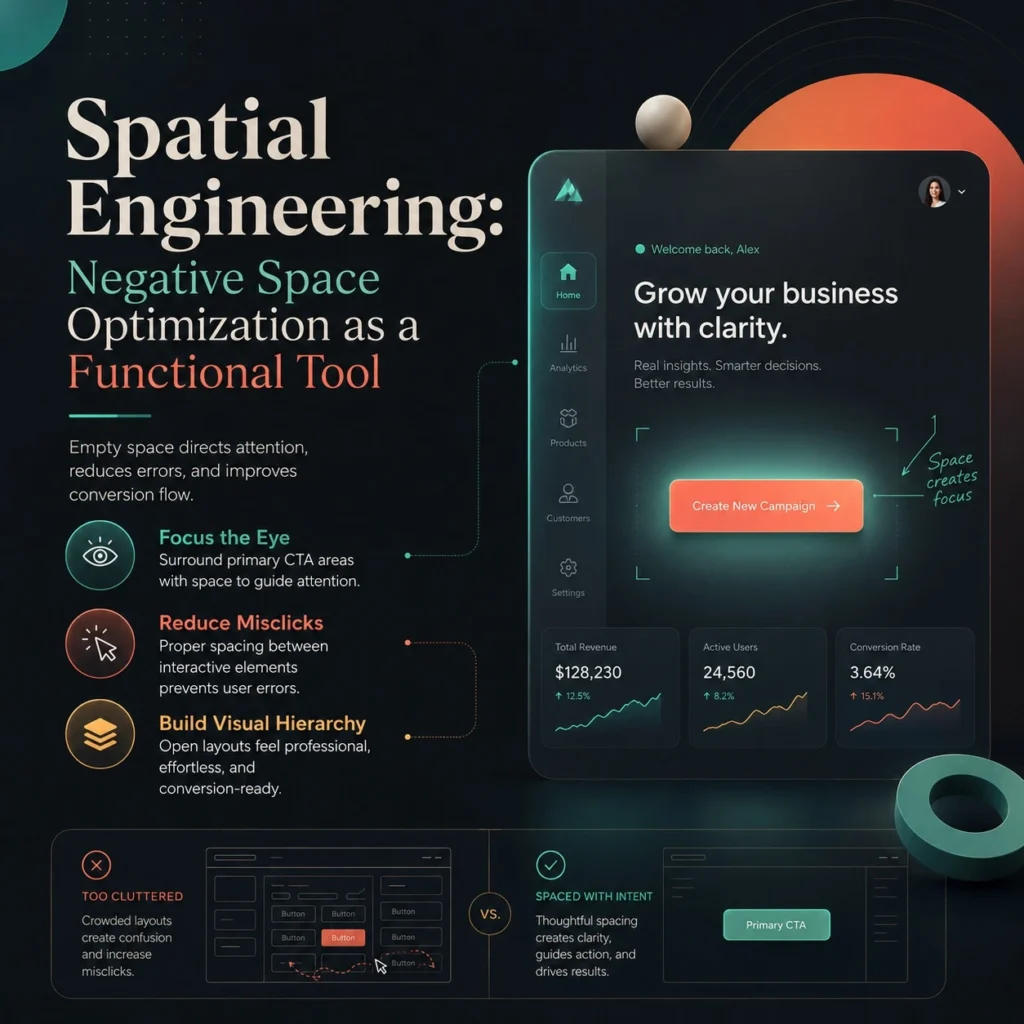
Inexperienced product designers view empty pixels as wasted real estate that needs to be filled with badges or conversion banners. Elite product engineers know that space is a critical interactive utility.
Visual Breathing Room: Why Empty Space is a Conversion Asset
Implementing negative space optimization is the fastest way to dictate exactly where a user looks. By surrounding your primary conversion buttons with empty areas, you force the human eye to focus on your core call-to-action.
Using intentional whitespace utilization also prevents costly physical navigation errors. Packing interactive elements too tightly together causes frequent mistakes, driving user frustration. Aligning your layout with established visual hierarchy frameworks guarantees that your application feels open, professional, and completely effortless to navigate under any real-world condition.
Balancing Raw Data: Information Density Management for Complex Apps
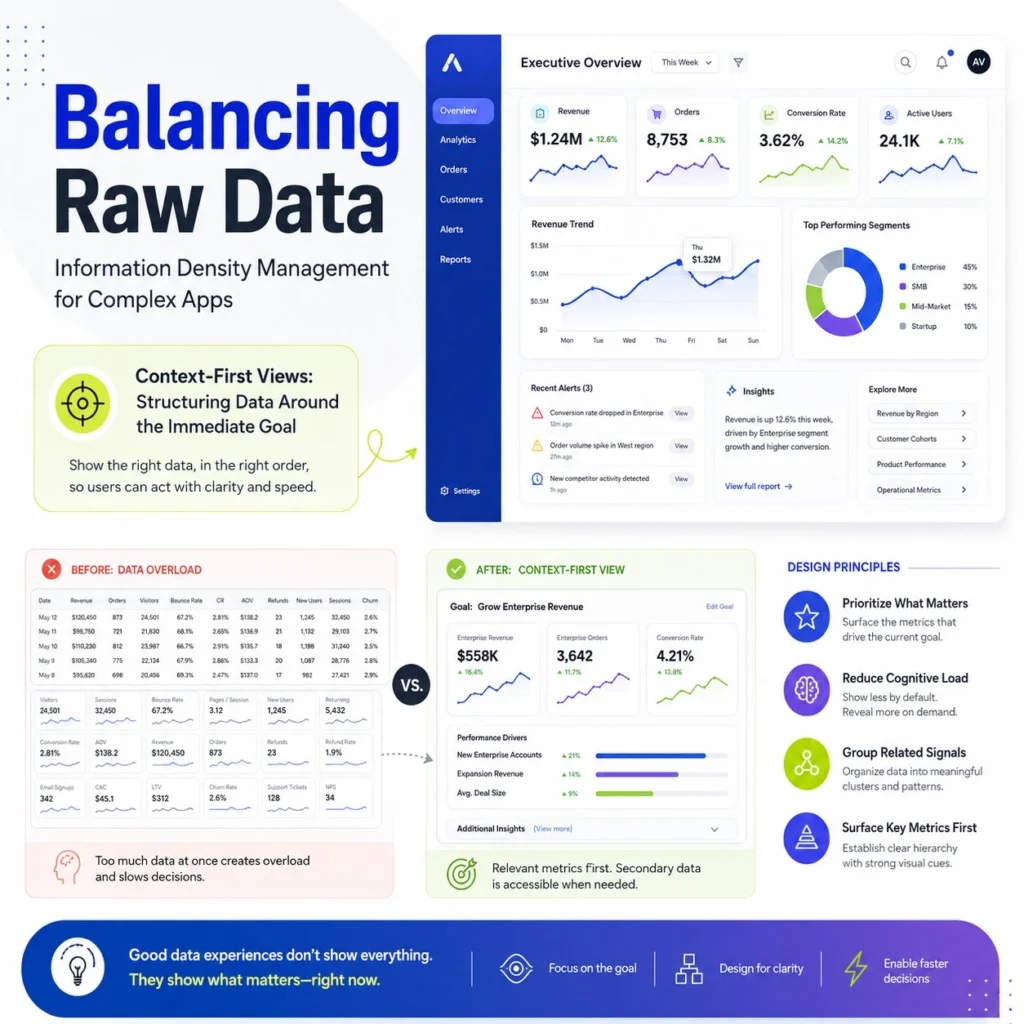
Some software products, like financial tracking tools or logistics platforms, must display massive amounts of data on a single screen. You cannot simply hide everything behind drop-down options.
Context-First Views: Structuring Data Around the Immediate Goal
Managing data-heavy interfaces requires deep information density management. Instead of throwing unorganized tables at the user, group related data metrics into distinct visual containers with clear type contrast.
Build task focused layouts that adapt dynamically to what the user is trying to accomplish at that exact moment. If an asset manager is looking at a specific transaction line, the layout should emphasize the monetary value and status, while sub-details scale down. This keeps your data dense but highly readable, keeping performance clean.
FlowmazeUX: Stop Paying Agencies to Confuse Your Users.
Stop letting bloated design agencies waste your development capital on over-engineered interfaces that confuse your market and tank your active user retention.
At FlowmazeUX, our UI/UX design services revolve around engineering the path of least resistance for users. We eliminate unnecessary friction, streamline user journeys, and develop mobile experiences that increase engagement, retention, and conversion performance throughout every step of the customer journey.
Frequently Ask Questions
It breaks complex multi-stage forms into single-input views. This strategy prevents checkout anxiety, lowers user confusion, and guides customers smoothly to payment.
Crowding screens with promotional banners causes banner blindness and user frustration. Whitespace focuses the user's eyes on your primary conversion button.
Users face choice paralysis when a viewport is cluttered. If they feel overwhelmed, they immediately delete the app.
They establish clear, repeatable layout rules for text weights and spacing, preventing expensive design revisions during coding phases.
Run a pruning session the moment your product analytics reveal high drop-off rates on key transactional screens.
No. It organizes your content. It uses space strategically to separate distinct data clusters, making the screen highly scannable.
Standard dashboards display a generic mix of all available features. Task-focused layouts adapt dynamically to show only tools relevant to the user's active goal.
Yes. Enterprise users require high efficiency. Simplifying navigation paths allows professionals to execute high-volume workflows without hunting through cluttered menus.