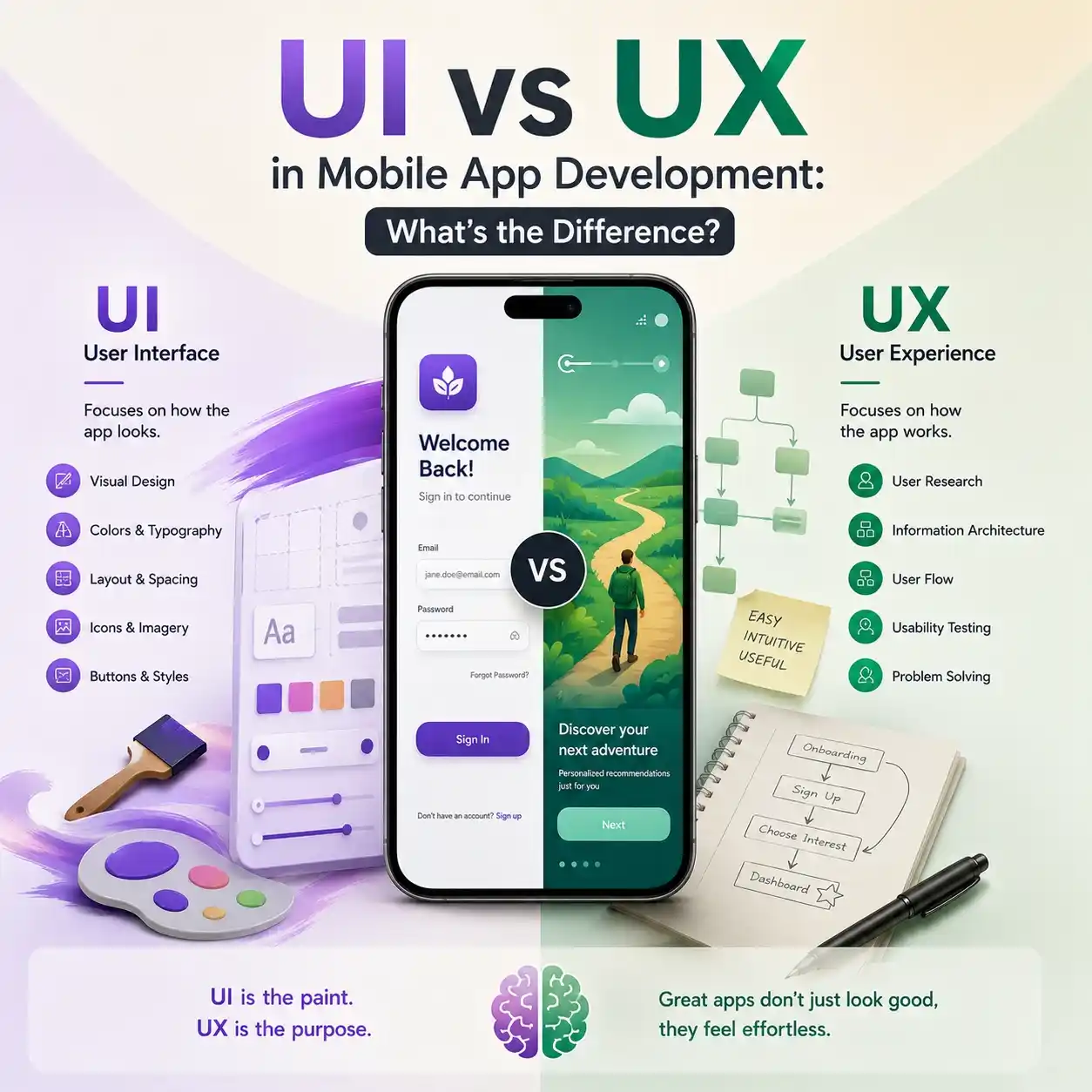
Many digital startups bleed cash because founders treat user interface and user experience as the same thing. They hire a designer to make a product look pretty, only to watch their active user base drop off within a week. If you want to survive the brutal application market, you must understand how UI vs UX in mobile app development separates visual style from product survival.
| UI Type | UX Type | Install Outcome | Abandonment Type |
| Stunning | Broken | High Installs | Instant Abandonment |
| Ugly | Elite | Ugly Product | Slow, Painful Attrition |
| Elite | Elite | High Adoption | Compounding ROI |
The difference is a simple divide between human emotion and digital engineering. UI is what a user sees when they open your platform; UX is what they feel as they try to complete a task. Balancing both disciplines transforms a chaotic mobile application into a highly profitable, self-sustaining digital asset. Companies that are looking for scalable digital growth usually refer to this complete mobile app UI/UX agency selection guide for 2026 before they rebuild their product experience systems.
Spot the Difference: The Restaurant Analogy You Can’t Forget
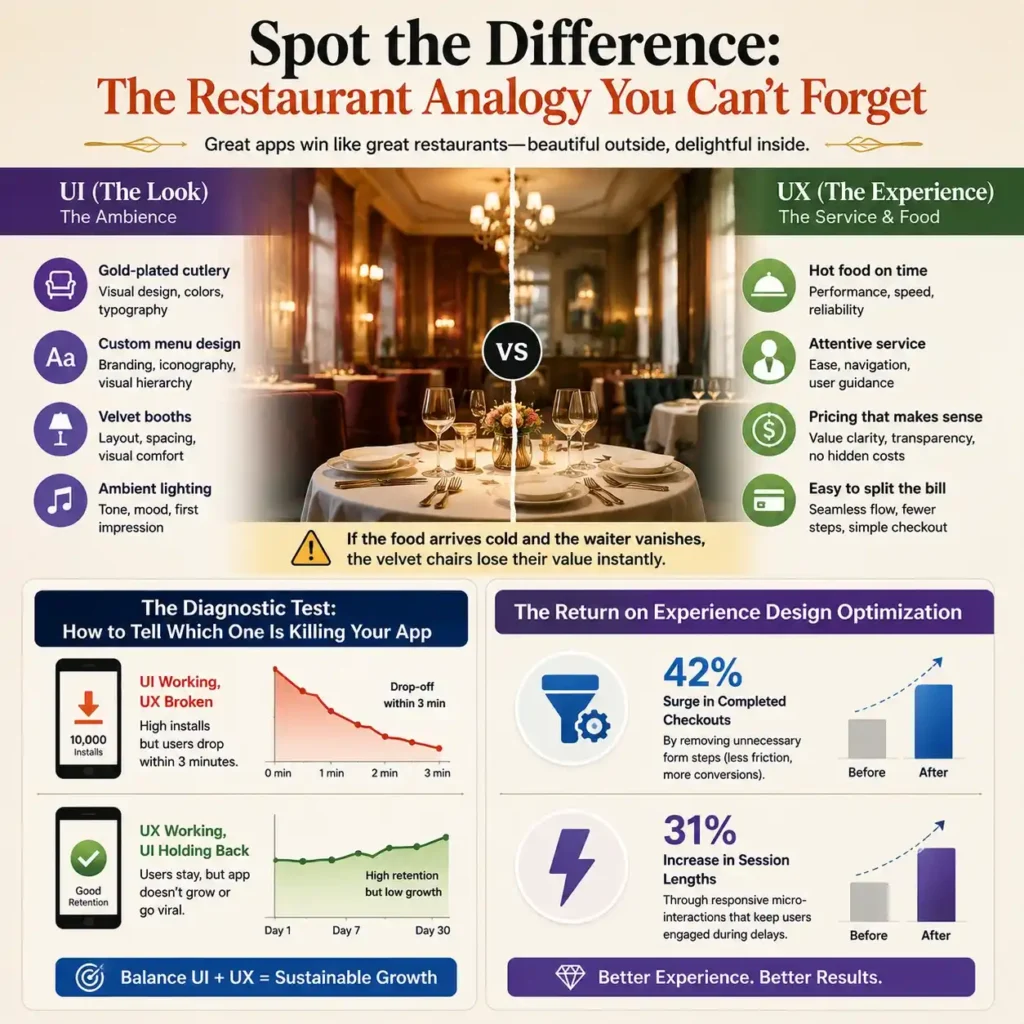
To understand UI vs UX in mobile app development, look at your favorite high-end restaurant. The interface (the UI) is the gold-plated cutlery, the custom typography on the menu, the velvet booths, and the ambient lighting. It creates the immediate visual impression that sets the mood when you walk through the front door.
The experience (the UX) is how fast the hot food hits your table, whether the pricing makes sense, and how easy it is to split the bill. If the food arrives cold and the waiter vanishes, the velvet chairs lose their value instantly.
The Diagnostic Test: How to Tell Which One is Killing Your App
Diagnosing your product failure requires analyzing your traffic data. If your mobile app captures thousands of initial downloads but suffers a massive drop-off within the first three minutes, your UI is working, but your UX is broken.
Conversely, if your analytics show high retention rates but zero viral growth, your interface aesthetics are likely holding you back. A true UI vs UX in mobile app development strategy balances both metrics to build sustainable growth.
The Return on Experience Design Optimization
The fintech platform’s focus on removing digital friction points delivered an immediate 42% surge in completed checkouts by removing unnecessary form steps. Meanwhile, the wellness application integrated responsive micro-interaction feedback loops to instantly confirm user inputs.
This simple visual update kept users engaged during data processing delays, driving a 31% increase in session lengths. This data proves that while UX modifications fix structural conversion blocks, UI updates maintain user engagement. Startups looking to boost engagement and retention often collaborate with professional UI/UX experts for mobile applications to refine both interface aesthetics and behavioural workflows.
What is UI? Engineering Sharp Visual Hierarchy Systems
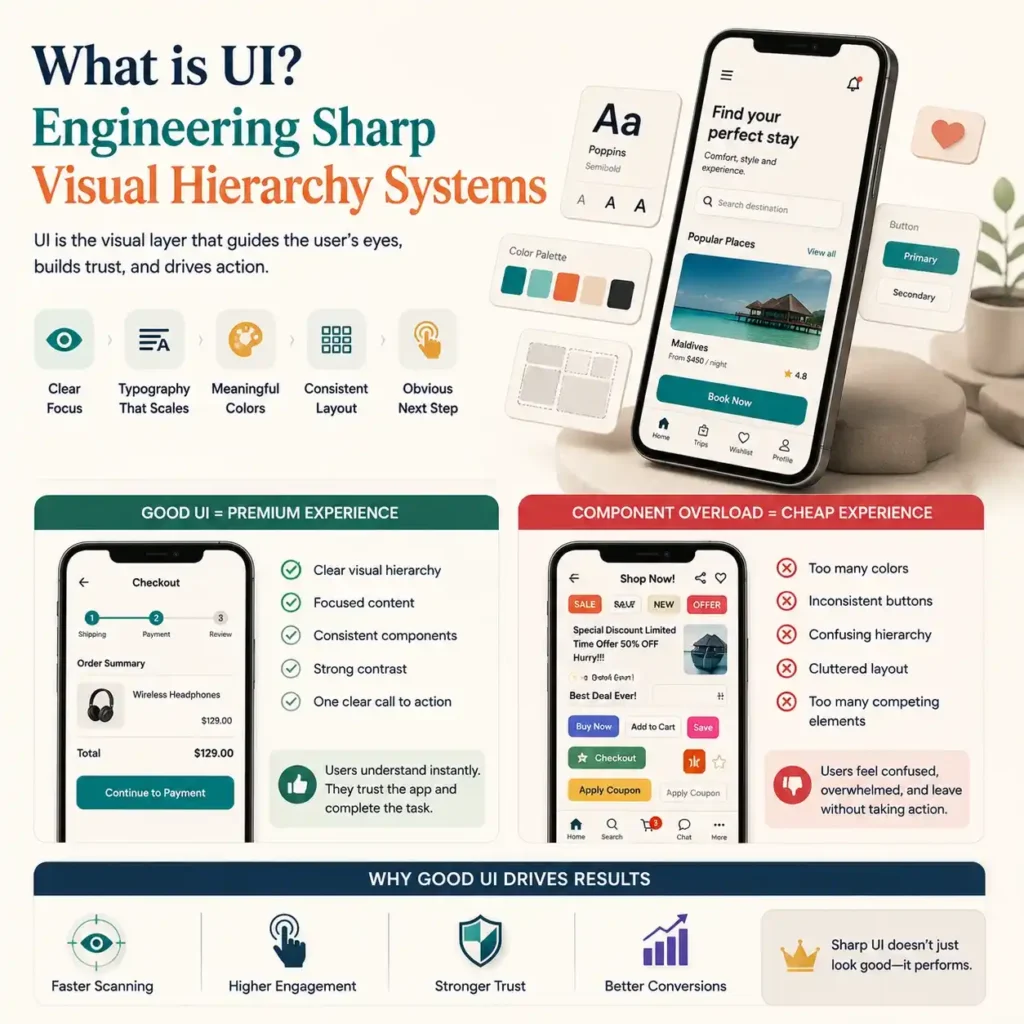
User interface design is the tactical execution of the visual layer of your product. It involves selecting balanced color palettes, establishing clear typography sizes, and structuring consistent layouts. The primary goal of a UI engineer is to build clean visual hierarchy systems that guide the human eye across a screen naturally.
To maintain execution speed across a project, development teams rely heavily on pre-built interface component libraries. These asset kits hold standard buttons, input fields, and navigation bars, allowing engineers to scale the layout without rewriting styles from scratch.
Component Overload: Why Bad UI Makes Apps Look Cheap
Throwing random assets together without an overarching plan ruins your product. When designers pull conflicting elements from various interface component libraries, the app looks messy and unpolished.
Every button size, color choice, and font weight must align with core interaction design principles. If your primary call-to-action button blends into the background or uses confusing iconography, users lose confidence in the software. Sharp visual hierarchy systems remove visual chaos, making the system look premium and trustworthy.
What is UX? Building Bulletproof Information Architecture Models
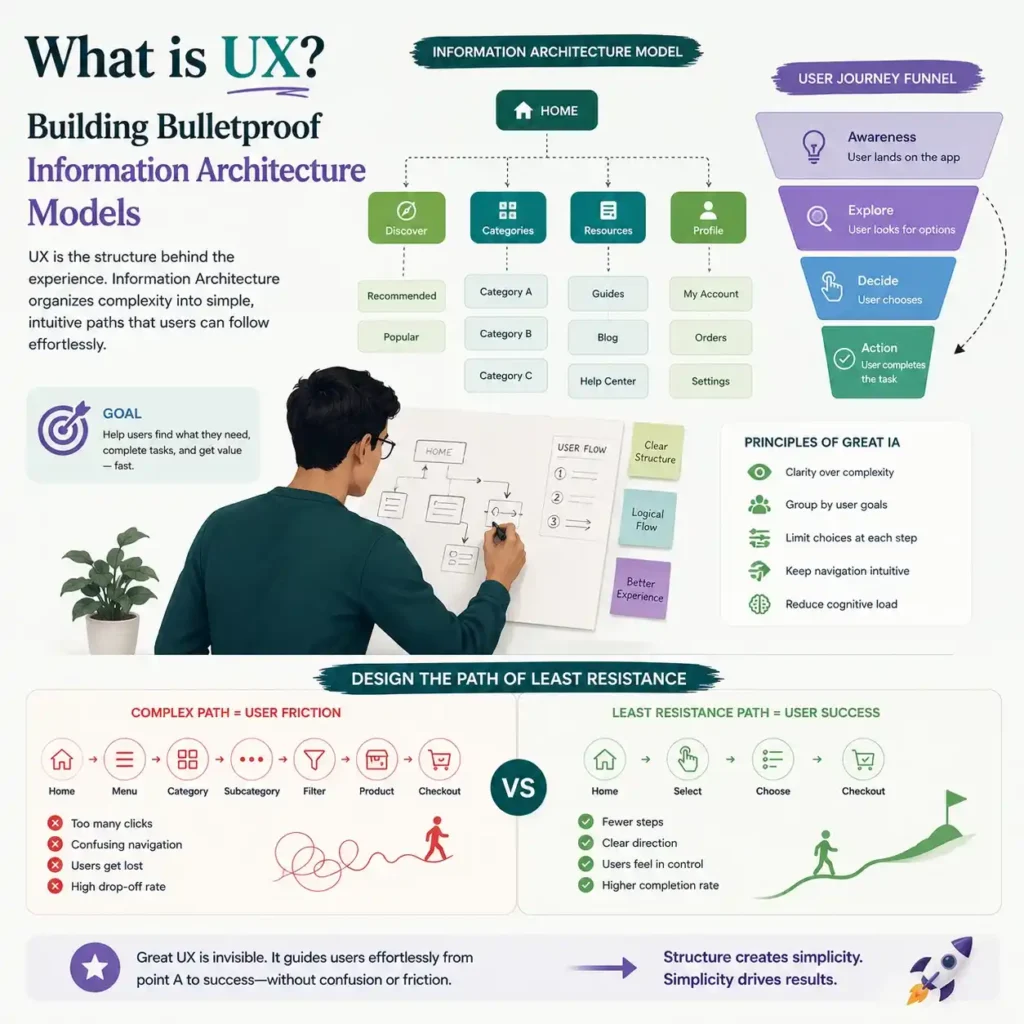
User experience design is the structural skeleton of your mobile product. It ignores colors and shapes to focus entirely on human behavior, cognitive load, and navigation speed. An expert UX engineer uses detailed information architecture models to map out how data flows across an application.
This structural planning begins with intense user empathy mapping to identify the exact goals, anxieties, and frustrations of your target consumer. By understanding what the user expects, the product team can design intuitive navigation pathways that shorten the time-to-value loop.
Design the Path of Least Resistance
Before writing production code, teams must validate these pathways through rigorous wireframe prototype development. These low-fidelity structural sketches allow you to test user flows without wasting engineering resources on visual details.
Utilizing wireframe prototype development helps you spot layout bottlenecks early. If a user needs seven clicks to complete a basic profile setup, your information architecture models are too complex. Simplifying these structural wireframes confirms that your application provides a fast, frictionless path to conversion. Businesses often find confusing navigation a headache, which is why they depend on professional UI/UX design services for mobile apps. These services help to streamline the user journey and make it more conversion-oriented.
The Market Scope: Which Discipline Holds the True Power?
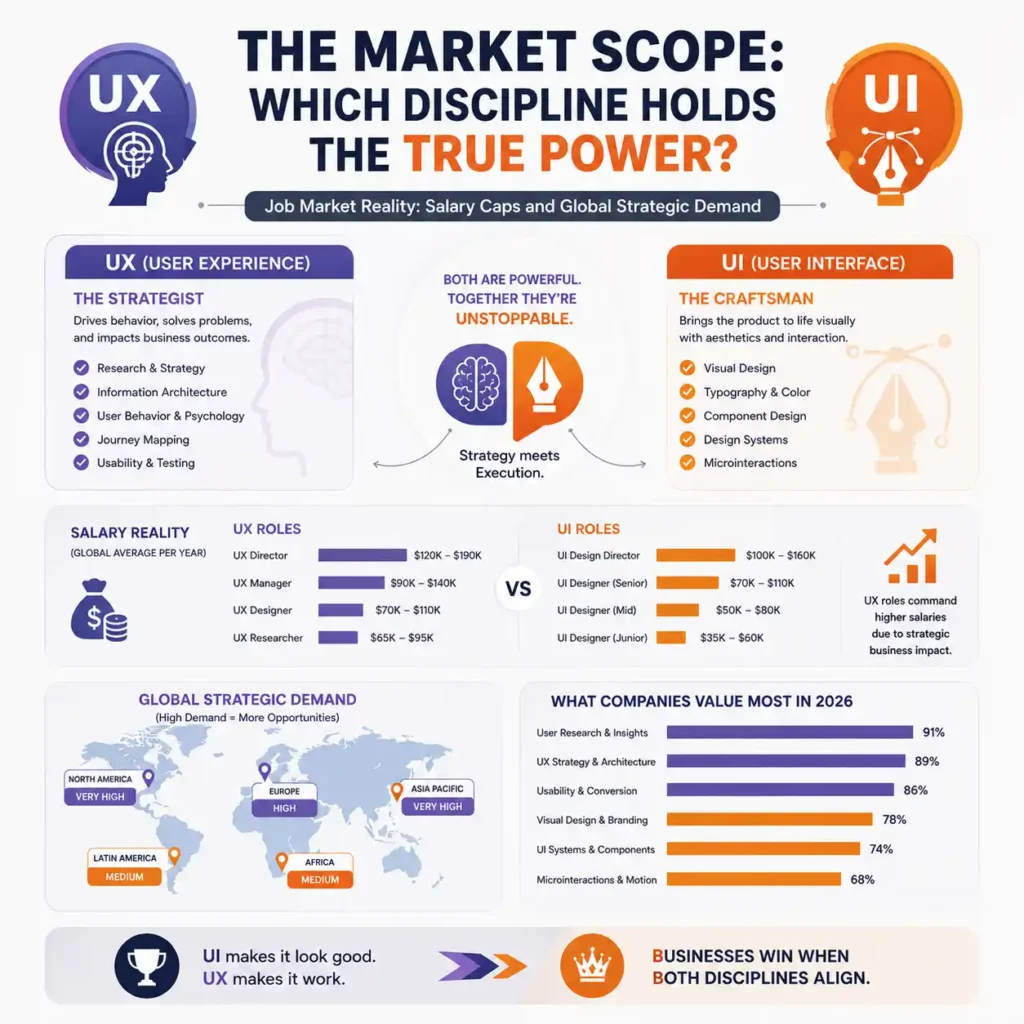
Founders often ask which discipline deserves a larger portion of their initial product development budget. In the global tech industry, UX designers typically command higher enterprise rates and consulting fees. This salary gap exists because UX adjustments directly fix financial drop-offs, making the role easy to tie to business revenue.
However, elite UI designers who master layout logic are becoming rare, high-value assets. Your product requires both skills to succeed. High-performing engineering teams use structured usability testing frameworks to evaluate both layout Tracks simultaneously before shipping updates to production.
Job Market Reality: Salary Caps and Global Strategic Demand
While a UX professional structures the workflow, a UI expert tries to make the layout feel responsive. Measuring these combined results requires deploying deep product behavioral analytics to track real-world interaction data.
Relying on product behavioral analytics allows you to see how visual updates impact user action. If your usability testing frameworks reveal that users ignore a redesigned menu, the team can pivot quickly, using data to drive product iterations.
FlowmazeUX: Replacing Cosmetic Fluff with Product Revenue
No generic templates, no academic fluff, and no confusing corporate jargon. We build fast, responsive digital assets that protect your development capital, increase user retention, and maximize conversion rates. At FlowmazeUX, our team strips away unnecessary navigation steps, resolves onboarding bottlenecks, and maps clear user journeys that drive real transactions. Discover how strategic UX engineering is the key to improving retention, conversions, and sustainable growth in your app in our full Best UI/UX Design Agency for Mobile App Development (Your 2026 Guide) for brands seeking long-term product scalability.
Frequently Ask Questions
Hire a UX designer first to map user journeys, trace info architecture, and validate product logic. Once the structural wireframes are locked down, bring in a UI designer to build the visual layer.
Rarely. Developers focus on system stability and code performance. UX requires deep behavioral psychology and user testing, while UI demands elite visual design skills. Splitting the tracks confirms better product execution.
When an interface fails to give instant visual feedback during a click or data load, users assume the app has frozen. This uncertainty creates frustration, causing users to close the app entirely.
They provide pre-built, standardized visual elements like buttons, toggles, and dropdowns. This allows your developers to assemble clean interfaces quickly without spending hundreds of hours styling individual elements from scratch.
Even simple apps fail if data is unorganized. Clean information architecture brings that high-intent users find key transaction buttons in seconds, maximizing your conversion speeds regardless of site size.
We ignore vanity metrics to monitor clear business indicators: step-by-step funnel drop-off rates, average task completion speeds, form error frequencies, and long-term user retention intervals.
Avoid full redesigns unless your conversion metrics are dropping. Instead, use continuous, data-backed micro-updates to optimize low-performing pages without confusing your existing active user base.