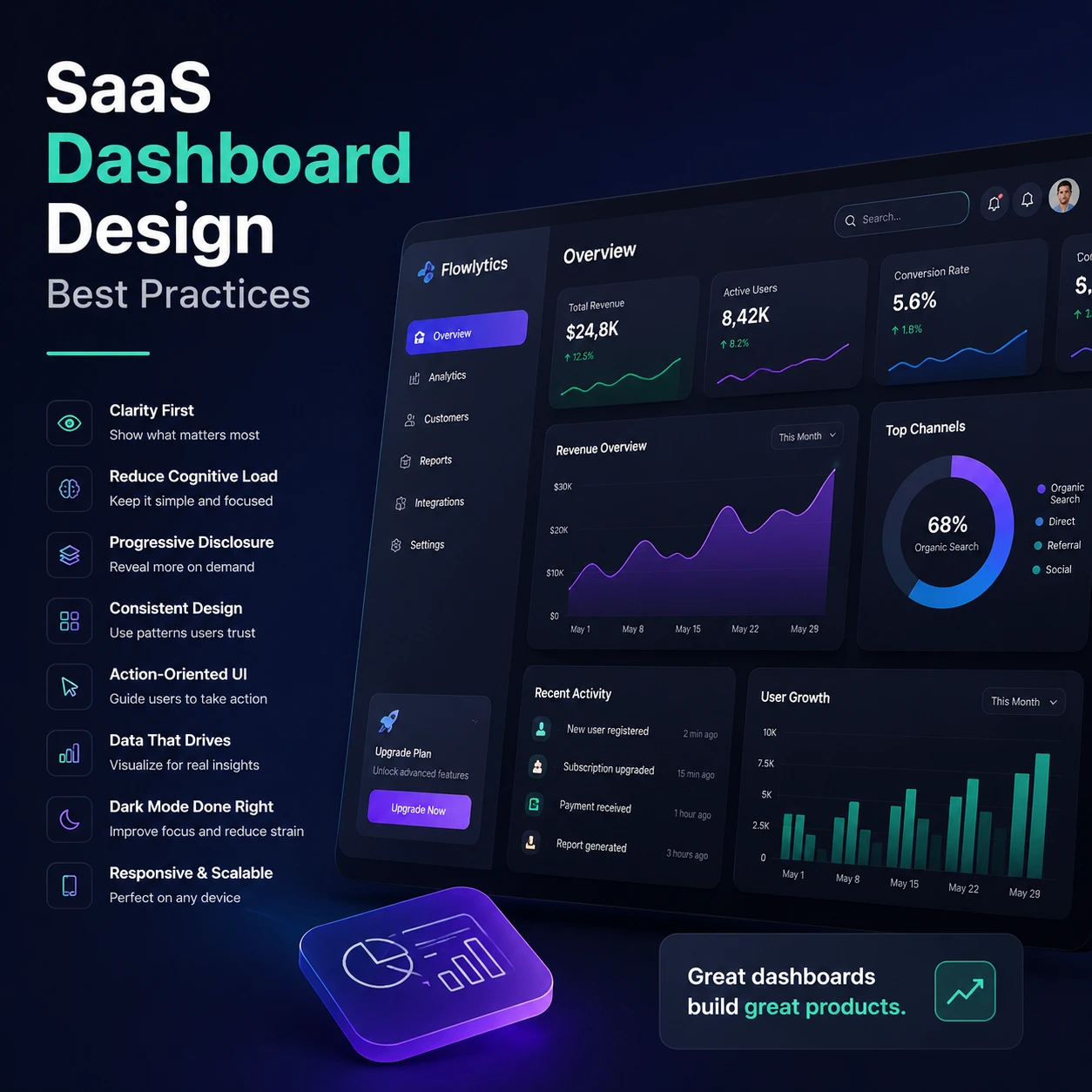
Elite product design teams understand that a primary control center must function as a high-velocity utility framework rather than an artistic showcase. Implementing standardized SaaS Dashboard Design best practices ensures that complex cloud applications remain intuitive, responsive, and highly scannable as feature density expands. When an application interface handles massive data pipelines correctly, it removes structural barriers, accelerates user time-to-value, and protects recurring subscription revenue.
To implement these SaaS dashboard principles at scale, explore our Professional UI/UX Design Agency for SaaS Platforms.
The Psychological Foundation of Data Interfaces
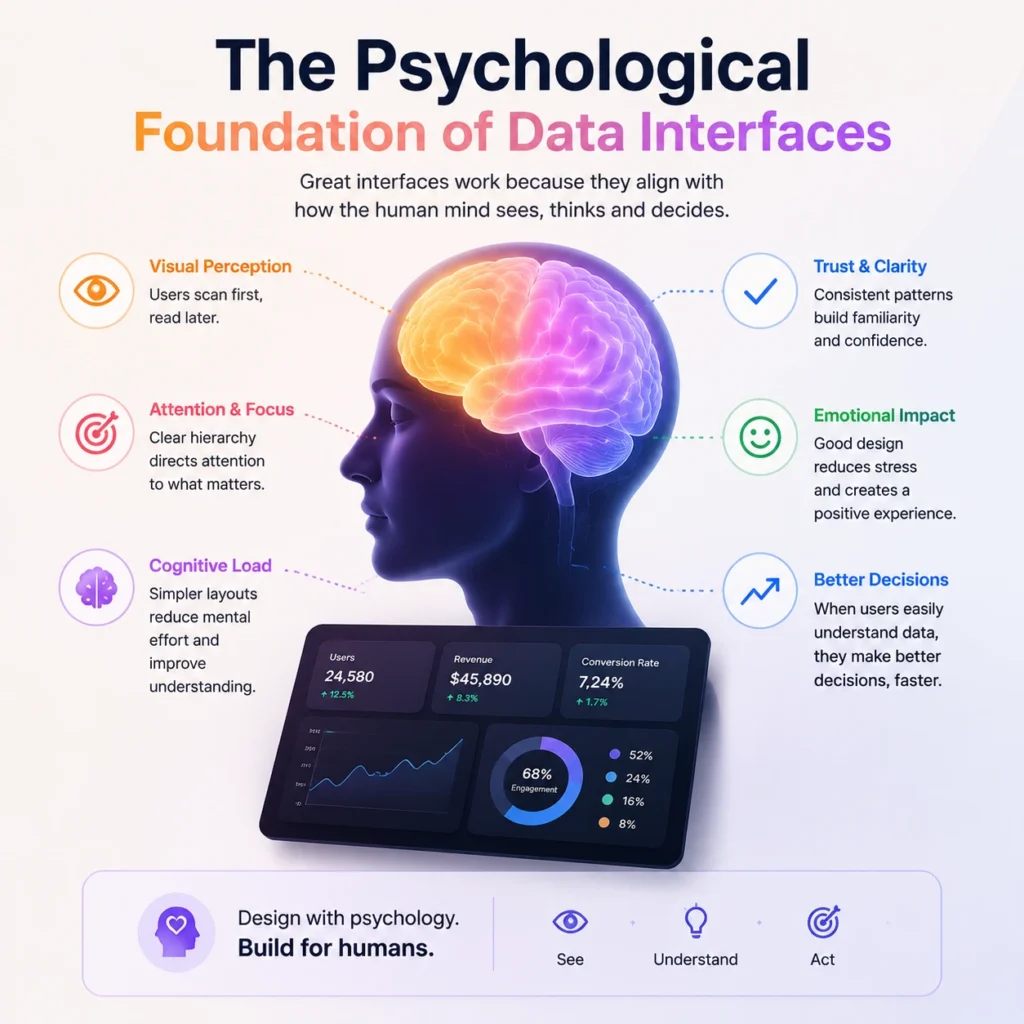
The ultimate commercial success of a subscription platform depends heavily on how efficiently users can extract actionable insights from raw data tables. Optimizing information layout density can boost weekly active user engagement scores by up to 42 percent within the first quarter of deployment.
Deploying structured layout rules across your workspace helps reduce dashboard cognitive load, preventing the mental fatigue that forces users to abandon legacy software platforms. When data layers lack a clean visual arrangement, users waste valuable operational time trying to make sense of scattered tracking cards.
10 Technical Best Practices for Modern Software Dashboards
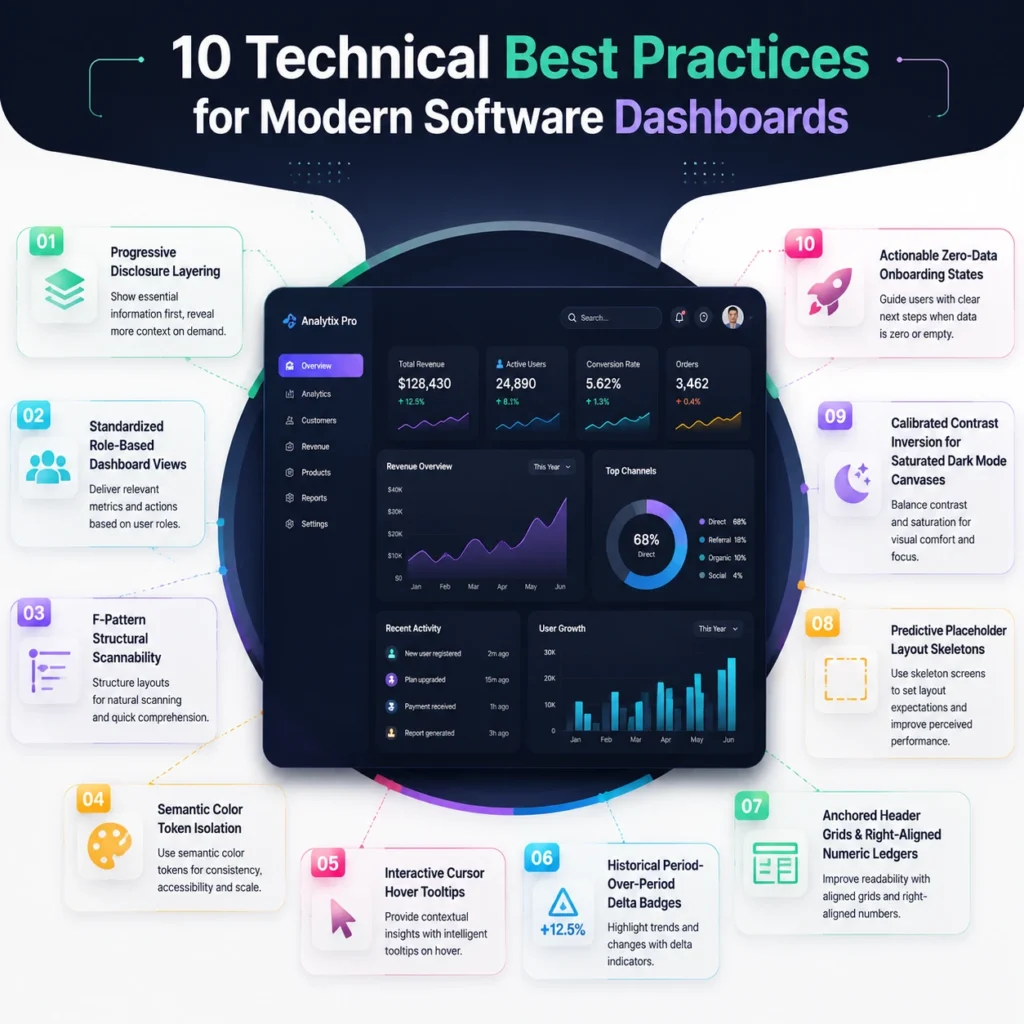
1. Progressive Disclosure Layering
Why This Is the Best
Adopting a summary-first framework is the most effective way to protect users from sudden information overload, separating everyday management from granular, deep-dive data exploration.
Technical UI/UX Scenario
In a comprehensive accounting web workspace tracking company runway metrics, the primary container displays a single high-contrast text block showing total remaining months. Clicking this number triggers a smooth inline transition that opens a detailed slide-out panel. The panel reveals active burn-rate charts, payroll lists, and future spending models.
Pain Point
Users experience immediate analysis paralysis and feel overwhelmed by secondary visual noise when they have only logged in to verify a single top-line performance indicator.
Easy Hand
Isolate deep analytical metrics behind clean directional arrow markers, keeping secondary tables completely hidden until a user explicitly clicks to expand the layout canvas.
2. Standardized Role-Based Dashboard Views
Why This Is the Best
Enforcing custom account-tier layouts ensures that every single team member lands on a view built precisely for their core daily tasks, eliminating structural clutter.
Technical UI/UX Scenario
Within a shared logistics platform, an engineering team member lands directly on an action-oriented issue list sorted by code urgency. A product manager or financial stakeholder logging into that same platform hits a high-level team velocity graph and product milestone tracker.
Pain Point
Enterprise operators waste their first five minutes of every session manually click-filtering generic corporate screens just to arrange the dashboard into a usable layout.
Easy Hand
Tie your root layout component state engine directly to the user’s authenticated profile tier, automatically mounting the correct sub-interface views during the initial login sequence.
3. F-Pattern Structural Scannability
Why This Is the Best
Arranging interface cards to match natural tracking movements accelerates how quickly an operator scans key data, capitalizing on the reality that eyes scan text in an “F” pattern.
Technical UI/UX Scenario
A B2B revenue management dashboard places its highest-value metric block, such as total live pipeline value, directly into the top-left grid coordinates. Medium-priority metrics like win-loss trends sit in the middle row, while massive multi-row customer tables rest safely below the fold.
Pain Point
Critical system alerts, exceptions, or major revenue changes get lost on the page because they are positioned in lower-right layout zones where users rarely look.
Easy Hand
Dedicate the absolute top-left real estate of your main container to your primary hero indicator, pushing all secondary metrics further down the flexible workspace grid.
4. Semantic Color Token Isolation
Why This Is the Best
Reserving highly saturated color accents exclusively for status changes turns color into a reliable warning beacon rather than a distracting visual decoration.
Technical UI/UX Scenario
A cloud operations platform uses neutral slate grays and muted blues for its standard navigation links, button hover frames, and structural borders. Pure crimson red is locked down inside the theme rules, only illuminating when a server cluster crashes or an API endpoint hits high latency.
Pain Point
Desensitized users miss urgent platform system errors because the primary layout uses the same bright red shade for standard delete buttons and marketing banners.
Easy Hand
Build a strict traffic-light status system into your Figma dashboard design kit, keeping standard elements neutral and reserving bright warnings for real operational exceptions.
5. Interactive Cursor Hover Tooltips
Why This Is the Best
Integrating responsive tooltip windows directly into data visualizations allows users to view exact figures without crowding the main chart canvas with unreadable text labels.
Technical UI/UX Scenario
Across a multi-line graph tracking weekly channel conversions, a compact tooltip box snaps onto the closest data node as a user sweeps their cursor along the timeline. This layout element displays clean, right-aligned numbers and custom colored markers that match the active lines perfectly.
Pain Point
Users struggle to read intricate, overlapping multi-variable lines, frequently trying to guess whether a mid-quarter drop represents twelve thousand or eighteen thousand dollars.
Easy Hand
Pair your primary charting library with active cursor coordinates, using distinct background shadows to ensure the tooltip box stands out over the graph canvas.
6. Historical Period-Over-Period Delta Badges
Why This Is the Best
Adding clean time-comparison metrics directly into data tracking cards provides immediate performance context, turning isolated numbers into actionable business insights.
Technical UI/UX Scenario
A conversion-optimized B2B SaaS metrics layout features a prominent primary number showing forty-eight thousand dollars in recurring revenue. Positioned directly underneath that value, a compact green badge houses a small up-arrow and short text reading twelve percent versus the previous month.
Pain Point
Executive leaders are forced to constantly bounce out of the active dashboard to search through historical spreadsheets just to calculate basic growth trajectory vectors.
Easy Hand
Always pair your top-row KPI metrics with a secondary percentage change badge that calculates historical progress automatically based on the global calendar selection.
7. Anchored Header Grids and Right-Aligned Numeric Ledgers
Why This Is the Best
Locking column categories and right-aligning financial lines ensures that dense data lists remain perfectly scannable and readable during heavy vertical scrolls.
Technical UI/UX Scenario
An enterprise transaction interface containing thousands of active rows utilizes sticky CSS positioning to anchor the top header row firmly in place during scrolls. All currency metrics, balances, and numerical counts are right-aligned to line up decimals vertically, while descriptive text remains left-aligned.
Pain Point
Operators misread financial columns due to poor decimal alignment or completely lose track of column context when scrolling deep down a sprawling table grid.
Easy Hand
Apply a right-alignment property to every numerical column inside your table components, and keep your category headers anchored to the top view during scrolling behaviors.
8. Predictive Placeholder Layout Skeletons
Why This Is the Best
Deploying pulse-animated loading cards during active database lookups helps lower perceived system latency. It also keeps the screen experience feeling snappy and responsive.
Technical UI/UX Scenario
When an account user loads a marketing analytics workspace, a series of neutral gray, pulse-animated boxes mimics the exact dimensions of the incoming chart elements. These blocks hold the layout in place before the system completely processes and displays the live multi-variable graphs.
Pain Point
Jarring layout shifts and sudden page jumps cause users to accidentally click the wrong buttons. This happens when different data fields finish loading out of order.
Easy Hand
Ditch all traditional spinning loading graphics across your application. Replacing them with simple placeholder cards that map out your layout structure ahead of time.
9. Calibrated Contrast Inversion for Saturated Dark Mode Canvases
Why This Is the Best
Using rich, deep gray tones instead of pure pitch black for dark backdrops helps protect high-density layouts. It also reduces severe eye strain during long tracking sessions.
Technical UI/UX Scenario
A high-security threat monitoring application utilizes dark slate gray backgrounds paired with crisp white font choices for primary headings. This allows neon alert status signals, text fields, and sharp chart lines to cut through clearly without straining the eyes of security teams.
Pain Point
Visual fatigue and blurred layout views are caused by poorly calibrated color contrast rules. These issues wash out fine design details against a harsh, pitch-black backdrop.
Easy Hand
Build accessible, rich gray layers into your SaaS analytics user flow, keeping text contrast ratios above 4.5:1 to meet international accessibility standards.
10. Actionable Zero-Data Onboarding States
Why This Is the Best
Designing productive empty views for new account features guides subscribers through their initial connection steps, preventing immediate workspace abandonment.
Technical UI/UX Scenario
A new subscriber opens an unconfigured sales pipeline tracker view. Instead of showing a broken error message or a blank white space, the chart container displays a faded illustration paired with a clear, prominent button reading connecting your database integration.
Pain Point
Onboarding confusion and immediate user abandonment caused by blank dashboard boxes that make an application feel completely broken or unconfigured.
Easy Hand
Never leave an empty data widget completely blank. Always provide a helpful message that explains what data belongs there. Include a clear and direct setup button to guide the user.
Time to Drive Long-Term Product Adoption
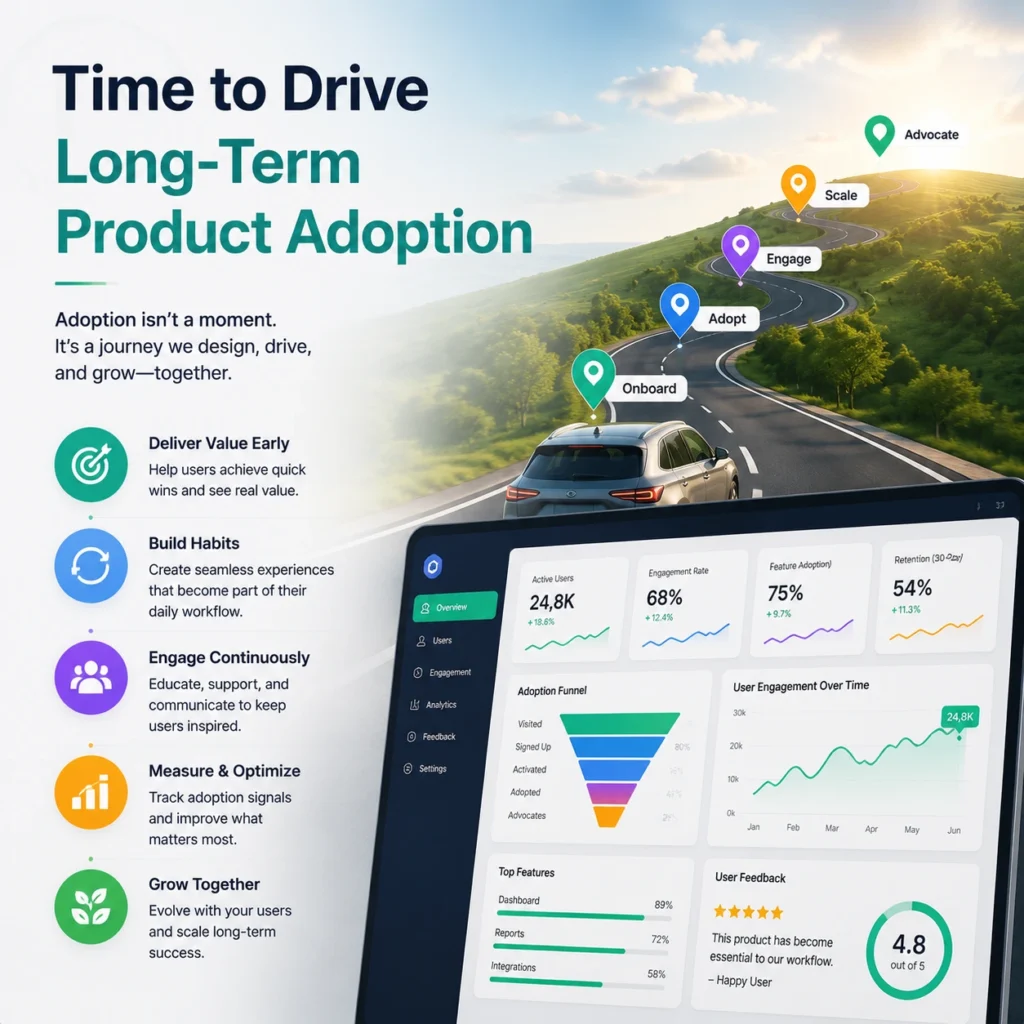
Continuous optimization of your primary workspace layout remains the defining factor for software platforms aiming to dominate the market. Top-performing cloud applications maintain a ninety percent customer retention rate, proving that interface usability directly dictates financial growth.
Refining your global dark mode dashboard UI and tuning data presentation models confirms that your platform scales smoothly alongside changing customer needs. Investing in an advanced product design workflow allows your organization to remove usage bottlenecks. It also smooths out feature exploration paths. This ensures consistent everyday value across every tier of your active user base.
Hire A Trusted SaaS Dashboard Design Brand!
We completely move past generic design agency templates to build custom software layout architectures. These architectures drive user activation and reduce account churn. This approach also aligns with the strict capital efficiency metrics required to scale modern subscription platforms. FlowmazeUX pairs deep technical user research with rapid prototyping systems to remove usage roadblocks completely. We integrate directly alongside your product development squad, helping your company secure market dominance through sharp, low-friction digital design execution. Explore SaaS-focused UI/UX design solutions built for scale.
Frequently Ask Questions
Hiding granular tracking data behind intentional interactive layers keeps the primary workspace clean, letting users focus on top-line performance metrics without feeling overwhelmed by secondary data tables.
An elite layout prioritizes top-level metrics in the upper rows, implements sticky column headers for long lists, and uses role-based access rules to adjust the interface based on the active user's job role.
Centralizing button hover states, border radius dimensions, and typography scales inside a shared workspace gives engineering teams exact code tokens, eliminating layout mistakes during development.
Static charts force teams to leave the platform to run manual filtering calculations, whereas interactive charts let users sort, slice, and export data with a single click.
To achieve international compliance, text elements must maintain a contrast ratio of at least 4.5:1 against the background canvas, using rich slate grays instead of pure pitch black.
Mapping user paths outlines the exact sequence of clicks a subscriber takes to complete a task, letting designers remove unnecessary pages and place buttons right where users expect them.
Replace every unconfigured chart card with an instructional placeholder message and an immediate action button that guides the subscriber to connect their active data feeds.
No. Shrinking an analytical layout fails mobile touch ergonomics; dedicated mobile screens are required to handle high-density layouts on smaller mobile screens.